WikiRace
← Back to Guides HubWikiRace Home
Beginner & Controls Manual

How to Play WikiRace Roblox: Complete Controls & Strategy Guide

A comprehensive masterclass on WikiRace Roblox gameplay. Master virtual laptop UI ergonomics, PC mouse precision versus mobile touch tactics, step-by-step match decision flow, coin earnings, and fatal novice mistakes.

Beginner WalkthroughPC & Mobile ControlsRewards & Leveling
Core Objective

The Fundamentals: Connecting Knowledge Under Pressure

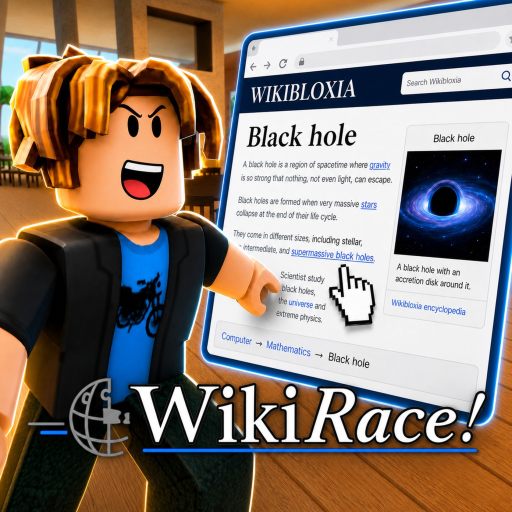
WikiRace challenges players to navigate from a randomized starting Wikipedia article to an assigned victory target article exclusively by clicking contextual blue hyperlinks.

In WikiRace on Roblox, created by AerithDev, you compete in real time against up to 16 players in an arena of virtual laptops. Once the round countdown reaches zero, all competitors are simultaneously served the identical starting article and destination article.

Success demands a combination of rapid visual skimming, semantic intuition, knowledge of Wikipedia's information architecture, and razor-sharp mechanical pointer precision. The first player whose browser renders the target page triggers the victory checkpoint and claims the gold podium spot.

Interface Guide

Virtual Laptop UI & Core Navigation Mechanics

When you enter an active match, your Roblox avatar sits at a high-tech desk workstation. Interacting with the terminal immediately transitions your game camera into a specialized Laptop Focus View, centering the virtual monitor while suppressing background 3D audio distractions.

Hyperlink Hover & Click Latency

Active hyperlinks display a distinct underline styling and shift color from soft sky blue to luminous gold when hovered over. The in-game browser pre-fetches linked article metadata upon hover. To maintain competitive pacing, avoid rapid double-clicking: a single deliberate click initiates the article transition without triggering client-side packet drops.

Back Navigation & Penalty Rules

Positioned in the upper-left corner of the laptop bezel is the Back arrow. While functional, retreating to an earlier article introduces a 1.2-second re-render delay and penalizes your efficiency metric. Elite speedrunners almost never click Back; instead, they pivot through macro-categories on their current page to course-correct forward.

Platform Optimization

PC Mouse Precision vs. Mobile Touchscreen Tactics

Tailoring your control layout and physical mechanics to your hardware platform is critical for competitive victory.

πŸ–₯️

PC Mouse & Keyboard Setup

Mouse DPI Sensitivity: Calibrate your optical mouse between 800 and 1200 DPI. Excessively high sensitivity causes cursor overshoot when targeting small font hyperlinks, while low sensitivity slows cross-screen sweeps.

Scroll Wheel Discipline: Enable smooth scrolling in Roblox settings. Use quick two-finger flicks of the scroll wheel to jump down long articles, aiming specifically for the 'History', 'Geography', or 'See Also' subheadings.

Keyboard Ergonomics: Keep your left hand anchored on the Spacebar or Page Down key. Tapping Spacebar rapidly advances the viewport down one full display height without moving your mouse cursor off the central link column.

πŸ“±

Mobile Touchscreen Tactics

Pinch-to-Zoom Technique: Mobile screens present a significant challenge when multiple hyperlinks cluster closely within a single sentence. Perform a rapid micro-pinch zoom before tapping to eliminate misclicks on adjacent words.

Thumb Positioning & HUD Clearance: Hold your device in a landscape grip with your dominant thumb resting slightly below the screen midpoint. Ensure the Roblox chat and leaderboard overlays are minimized so full screen real estate is dedicated to the article view.

Tap-Hold Protection: Avoid lingering taps. A prolonged press on mobile can trigger device-level text selection or magnifier callouts. Train yourself to execute light, instantaneous taps directly on the blue text strings.

Step-by-Step Playbook

Complete Match Lifecycle & Strategic Decision Flow

Break down each stage of a competitive WikiRace from lobby countdown to podium celebration.

1

The Opening 5 Seconds: Semantic Deconstruction

The instant the round initializes, do not blindly click the first link you see. Look up at the HUD display showing the Destination Target Article. Classify it immediately: Is it a person, historical conflict, country, scientific theory, or media franchise? Once classified, determine what parent category connects to it.

2

First Hop: Escaping the Starting Enclave

Scan the first paragraph of your randomly assigned starting article. Over 90% of lead paragraphs state the subject's geographical origin, creator, or primary scientific discipline. Click that broad category immediately to escape niche sub-topics.

3

The Bridge Transit: Reaching a Mega-Hub

Between hops 2 and 3, your objective is to connect with a Universal Bridge Nodeβ€”such as 'United States', 'World War II', 'Cinema', or 'Physics'. These colossal articles contain tens of thousands of outbound links branching into almost every subculture and technical discipline on Earth.

4

The Funnel: Zeroing in on the Target

From your Mega-Hub, jump into the target's immediate genre or governing body (e.g. from 'United States' to 'NASA', then to 'Apollo 11'). Skim the bolded headings or bulleted lists, execute the final click, and verify the victory banner renders.

Economy & Rewards

Podium Coins & XP Economy

Every completed match distributes Coins and XP based on your placement and efficiency metrics:

πŸ₯‡ 1st Place (Gold Podium)50 Coins + 100 XP
πŸ₯ˆ 2nd Place (Silver Podium)30 Coins + 60 XP
πŸ₯‰ 3rd Place (Bronze Podium)20 Coins + 40 XP
🏁 Finish Under Time Limit10 Coins + 25 XP

Coins are redeemed in the lobby shop to unlock customized laptop chassis, keyboard typing audio profiles, animated desk mousepads, and ambient lighting themes.

Critical Pitfalls

Top 4 Traps That Ruin Your Race

  • 1. The Disambiguation Swamp: Clicking a vague surname or common noun that lands on a disambiguation list. These pages feature hundreds of unrelated biographies and zero narrative bridges.
  • 2. Taxonomic Dead Ends: Following obscure biological genera or Latin species classifications. Micro-species pages rarely link outward to anything beyond their immediate biological family.
  • 3. Compulsive Backtracking: Panicking and hitting 'Back' five times in a row. It is virtually always faster to jump to a fresh macro-link on your current page than to rewind time.
  • 4. Reading the Whole Page: WikiRace is a scanning sprint, not a study session. Read only the first 2 sentences of a section, then jump to the next hyperlinked entity.
FAQ

Frequently Asked Questions: How to Play

Clear answers to common questions asked by new WikiRace Roblox players.

How do you open and navigate the virtual laptop in Roblox WikiRace?

Approach any vacant desk in the lobby or match zone and press E (or tap the Interact prompt on mobile). Your camera locks onto the laptop display. Move your mouse or drag your touchscreen to scroll through the article text, and click or tap blue hyperlinks to transition to new Wikipedia entries.

Can you use the Wikipedia search bar or open multiple tabs?

No. The in-game Roblox browser operates under strict speedrun tournament rules. The search input field, URL bar, and multi-tab functionality are permanently disabled. You can only advance through articles by clicking genuine embedded hyperlinks within the article body, infoboxes, or navigation tables.

What happens if you click the Back button in WikiRace?

Clicking the in-game Back arrow returns you to your previously visited article, but it carries a tactical cost. It wastes elapsed seconds, increases your total click count on the post-match scoreboard, and leaves you vulnerable to players who bridge forward toward hub nodes.

How are Coins and XP calculated at the end of each round?

The 1st place winner receives a base reward of 50 Coins and 100 XP, with additional performance multipliers for completing the race under 60 seconds or in fewer than 5 clicks. 2nd and 3rd place podium finishers earn 30 Coins/60 XP and 20 Coins/40 XP respectively. All players who reach the target before the round timer expires receive a 10 Coin participation bonus.

What should I do if I get trapped on an obscure stub article?

Immediately inspect the opening sentence or the infobox for geographic keywords (such as countries or capital cities) or broad classification terms (like 'Mammal', 'Software', or 'Treaty'). Clicking directly into a broad country or domain hub provides an immediate escape route.

Guides Directory

Back to Guides Hub

Return to the complete directory of WikiRace walkthroughs, onboarding tips, and speedrun systems.

Main Hub

WikiRace Home

Jump back to the main portal for code redemptions, calculators, tier lists, and wiki pages.

Advanced Play

Speedrun Route Strategy

Learn the Six Degrees principle, Country Bridge method, and how to execute sub-5 click victories.

Rankings

Cosmetics Tier List

Explore our objective rankings of all laptop chassis, desk themes, cursors, and particle effects.